We earn a commission if you buy through our links, at no extra cost to you.
Best Projector for a Kids' Room: Picks and Setup Tips
Choosing a projector for a kids' room or bedroom: battery vs plug-in, ceiling or wall, brightness in a dark room, cords, volume, and which models fit.
At a glance
For a kids' room, the Nebula Mars 3 Air adds a battery and a handle, and the Nebula Capsule 3 is the smallest, a soda-can size. The XGIMI MoGo 3 Pro tilts to the ceiling, and the Hisense C2 Ultra is the premium 4K gimbal option.


A projector turns a kid’s bedroom wall into a movie screen, a game display or a place to watch a family show without hauling a TV upstairs. It also takes up almost no floor space, which matters in a small room. The catch is that a projector is a different product from a TV: it needs a dark room, a stable place to sit and a bit of setup that an adult should handle. This guide covers what to weigh when you buy one for a kids’ room or a child’s bedroom, then matches site models to the way the room is used.
One note first, because the search terms overlap. Night-light projectors that throw stars, galaxies or ocean waves on the ceiling are a different kind of product, and so are toy projectors for drawing and tracing. Everything below is about video projectors that play streaming apps, movies and games.
This guide draws on the makers’ published specifications; where a figure is missing, we say so. None of the pages we read states a minimum age for using these projectors, so we do not make age claims. Treat them as adult-purchased home electronics: the adult sets up, places and supervises the projector.
Battery or Plug-In?
This is the first decision, and it shapes the rest.
A built-in battery means no cord running across the floor to an outlet. In a kids’ room that is a real advantage, since a trailing cable is a trip hazard and an easy thing to tug. It also lets you carry the projector to a blanket fort, a sleepover or a guest room. The trade-off is runtime. Nebula lists 2.5 hours of movies in Eco Mode for both the Capsule 3 and the Mars 3 Air, which is shorter than some films once you count the opening credits. For a long movie you will still want a charger within reach.
A plug-in projector gives you steady power and, usually, a brighter picture. The XGIMI MoGo 3 Pro has no built-in battery, according to XGIMI, but it accepts power from a Type-C power bank, and its stand tilts for ceiling viewing. The Hisense C2 Ultra is a premium mains-powered model.
Whichever you choose, route the cable along the wall, away from the bed and doorway, and keep adapters and power banks off the floor where small hands can reach them.
Wall or Ceiling
Most families aim the projector at the wall opposite the bed. A few want the ceiling, so a child can watch lying down. The two choices need different hardware.
Wall projection is the easy default. You get an upright picture, and the projector sits on a dresser or shelf. A flat, light-colored wall is enough; satin or matte paint looks better than gloss.
Ceiling projection keeps the floor clear, but it asks more of the room. The ceiling should be smooth and white, because a heavily textured popcorn ceiling shows every bump. The projector also needs a stand or gimbal that tilts up. XGIMI lists a stand that adjusts up to 130 degrees on the MoGo 3 Pro, with front, rear, front-ceiling and rear-ceiling modes. Hisense says the C2 Ultra’s gimbal rotates 360 degrees horizontally and 135 degrees vertically. The pages we read for the two Nebula models do not list a tilting stand.
Tip: stand where the child will lie and look at the ceiling for a minute. If a ceiling fan or a light fixture sits where the picture would land, plan on the wall.
How Bright Does It Need to Be?
Kids’ rooms are easier to darken than a living room, which is why small, dim projectors work there. The figures from the makers:
- Nebula Capsule 3: 200 ANSI lumens.
- Nebula Mars 3 Air: 400 ANSI lumens.
- XGIMI MoGo 3 Pro: 450 ISO lumens, measured in its brightest mode under laboratory conditions, according to XGIMI.
ANSI and ISO lumens are measured by different methods, so do not treat them as directly comparable. The point is the scale: these are low numbers next to living-room projectors. In a room with curtains closed, they look vivid. With a lamp on or afternoon sun in the window, the picture will look pale.
Blackout curtains or shades often matter more than extra lumens. If the room gets bright light during naps or Saturday-morning cartoons, either plan on darkening it or pick a brighter, larger projector. The Hisense C2 Ultra is the premium choice for people who want the most headroom, although the Hisense page we read does not give a brightness figure.
Noise and Volume
A projector has a fan, and in a bedroom it sits close to the bed. Manufacturer noise figures are measured under set conditions, so treat them as a guide.
- Nebula lists a noise level under 28 dB for the Capsule 3 and the Mars 3 Air.
- XGIMI lists 32 dB or less at 1 meter for the MoGo 3 Pro.
- The Hisense page we read gives no noise figure for the C2 Ultra.
Built-in speakers carry, so the volume that sounds fine at 4 p.m. can wake a sibling at 9 p.m. Keep the volume modest, and consider an external Bluetooth speaker or headphones for late viewing, after checking that your chosen model supports Bluetooth audio output.
Placement: Stable, Flat, Out of Reach
These projectors are small and light. Nebula lists the Capsule 3 at about 1.9 lb (0.85 kg) and the Mars 3 Air at 3.7 lb (1.693 kg). That makes them easy to carry and also easy to knock over.
- Use a stable, flat surface at least as wide as the projector, such as a dresser or a shelf. Do not rest it on a pillow, a blanket or the bed, because soft bedding blocks the vents.
- Keep the vents clear of curtains and stuffed animals.
- Put it high enough that the beam passes over heads and away from faces.
- Do not let the cable dangle over the edge of the furniture.
- If you ever mount a projector overhead, find a joist or stud first. Drywall alone will not hold it.
Beam and Eye Comfort
A projector beam is bright, and people look into the lens without thinking. Tell children not to stare into the lens, and place the projector so the beam does not hit eye level. Some makers add a sensor for this. XGIMI says the MoGo 3 Pro’s ToF sensors detect someone walking in front of the projector and temporarily dim the light, and that the function can be turned on or off in system settings. Hisense says the C2 Ultra’s Intelligent Eye Protection dims the screen when it detects people approaching. These are manufacturer features, not guarantees, and they do not replace placing the projector sensibly and supervising its use.
Picture Size
For a kids’ room, you do not need a 150-inch image. A 60- to 80-inch picture fills a wall, and a smaller image looks brighter than a larger one from the same projector. XGIMI lists up to 120 inches for the MoGo 3 Pro, and Nebula lists 40 to 120 inches for the Capsule 3. Use the maker’s projection planner, because the distance from the wall decides how big the picture gets.
Which Models Fit a Kids’ Room
Here are the site models that suit this room, in the order we would consider them. For the full lineup see our 10-model projector comparison.
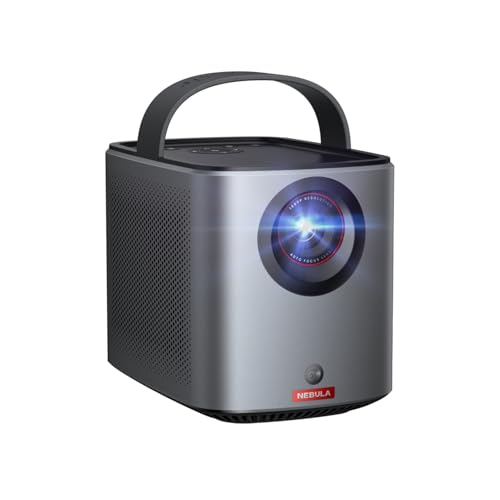
Nebula Mars 3 Air: Battery and a Bit More Brightness
A 1080p battery projector with 400 ANSI lumens and Google TV. Good for a kids' room and the occasional backyard or sleepover movie.
According to Nebula, the Mars 3 Air has 400 ANSI lumens, a battery rated at 2.5 hours in Eco Mode, a noise level under 28 dB and a weight of 3.7 lb. It runs Google TV. It is twice as bright as the Capsule 3, so it handles a room that is dim, not pitch black. Its limits are the same as the others: 2.5 hours is short for a long film, and it is a dark-room projector. See the Nebula Mars 3 Air profile.
Nebula Capsule 3: The Smallest Battery Option
A soda-can-size 1080p projector with a battery and Google TV. Best for a small, fully dark room where a modest picture is enough.
Nebula lists the Capsule 3 at 3.1 by 3.1 by 6.3 inches, 1.9 lb, 200 ANSI lumens and a battery of 2.5 hours of movies in Eco Mode. It is the easiest to tuck away on a shelf and carry to a tent or a guest room. At 200 lumens it is also the dimmest model here, so it needs a properly dark room and a picture of modest size. Nebula’s page does not describe content restrictions, so handle app settings yourself. Our Nebula Capsule 3 profile covers the caveats.
XGIMI MoGo 3 Pro: Tilts to the Ceiling
A mini 1080p projector with a stand that tilts to the ceiling and a quiet fan. A good bedroom choice when you want to watch lying down.
XGIMI lists 450 ISO lumens, a 130-degree adjustable stand, 1080p resolution, Google TV with licensed Netflix and a noise level of 32 dB or less at 1 meter. It has a time-of-flight sensor that dims the light when someone steps in front of it, and a 12-month warranty according to XGIMI. It has no built-in battery, so it lives on a nightstand or shelf with its cable, or runs from a Type-C power bank. See the XGIMI MoGo 3 Pro profile.
Hisense C2 Ultra: The Premium Pick
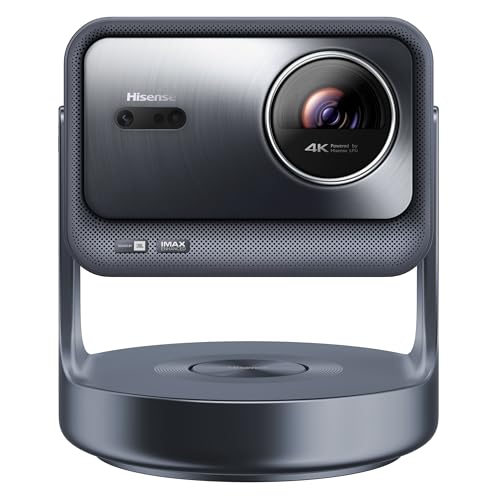
A premium 4K triple-laser projector on a gimbal that aims at the wall or the ceiling without a mount. For a family that wants one projector for the kids' room and beyond.
Hisense says the C2 Ultra has a triple-laser light source, a gimbal that swings 360 degrees horizontally and 135 degrees vertically, and an eye protection feature that dims the screen when it detects people approaching. It is the premium option here and probably more projector than a small bedroom needs, but it suits a family that will move it between a kids’ room and the living room. See the Hisense C2 Ultra profile.
Quick Setup Checklist
- Decide wall or ceiling by lying where the child will watch.
- Darken the window before buying a brighter model.
- Place the projector on a stable, flat surface with clear vents.
- Route the cable away from the bed and doorway.
- Set the volume low, and consider headphones for late viewing.
- Check streaming app profiles and restrictions in the apps themselves.
- Read the manufacturer’s manual before first use.
Sources
Frequently asked questions
What kind of projector works in a kids' bedroom?
A compact, quiet 1080p model that you set up for them and that does not need a mount. The Nebula and XGIMI models on this page list noise levels of 28 dB or below and 32 dB or below according to their makers, and none of them needs drilling. Because they are dim next to living-room projectors, plan on a room you can darken.
Can a projector shine on a kid's bedroom ceiling?
Some can. XGIMI lists a stand that adjusts up to 130 degrees on the MoGo 3 Pro, and Hisense says the C2 Ultra gimbal swings 135 degrees vertically so it can aim at the ceiling. The Nebula Capsule 3 and Mars 3 Air have no such stand listed on the pages we read, so you would need a stable, tilting base for them.
Is this guide about star or ocean night-light projectors?
No. Star, galaxy and ocean-wave lamps are small novelty night lights. This guide covers video projectors that play streaming apps and HDMI sources such as a console or a streaming stick.
Do I need a screen for a kids' room?
No. A flat, light-colored wall works well in a darkened room. A matte white or light gray wall is better than a glossy or textured one. If you want a bigger, crisper picture, a pull-down or tension screen is an upgrade, not a requirement.
Can a projector replace a TV in a kid's room?
It can, if the room can be darkened. The models here are rated at 200 to 450 lumens by their makers, which looks washed out with a lamp on or in a sunny room. If daylight viewing matters, a TV is the easier choice.
Do these projectors come with parental controls?
The Nebula page we read lists Google TV with multiple user profiles but does not describe content restrictions. Check the streaming apps themselves, since services such as Netflix manage profile settings in their own apps, and read the manufacturer's manual before you hand over the remote.